The October Data Reset: Tracking Minutes and Accommodations Without the Overwhelm
October brings a realization most special education case managers do not say out loud until it is already a problem. The systems that worked at the beginning of the year no longer work. What started the year feeling perfect is no longer cutting it.
The color-coded, organized system with a tab for everything looks messy. Your caseload has shifted so often that it is impossible to keep up. The Post-it notes and clipboard data sheets are piling up, and your spreadsheets have more columns than you can scroll through. You are not sure if you logged last week's sessions or just meant to.
If that is you, you are not failing. You are noticing, and that is the first step of a data reset.
Why Data Systems Break Down by October
The start of the year is the easiest time to be consistent. By October, a few things have shifted:
Your caseload has changed. New students, new services, and new IEPs mean the original system may not scale.
Your time has changed. Between meetings, progress reports, and parent communication, tracking has to be fast, or it won't happen.
Minutes are adding up. Missed sessions from assemblies, testing, and absences are quietly adding up.
Accommodations are slipping through the cracks. Making sure every general education teacher knows and implements them is a whole second job.
A good system should reduce your mental load, not add to it.
Signs It's Time for a Data Reset
Do I log services within a day or two of delivering them?
Do I know, right now, how many minutes I owe each student?
Could I quickly show an administrator or parent what services were delivered, missed, and made up?
Do the general ed teachers have an up-to-date list of each student's accommodations by class period?
If you answered "no" to two or more, a reset will save you time before semester IEP reporting hits.
Product Review: Two Google Sheets Trackers for Case Managers
To make this reset easier, I'm reviewing two Google Sheets trackers from FieldworkTemplateCo: the IEP Service Minutes Tracker and the IEP Accommodations Tracker. Here's an honest look at each.
Disclosure: I received the IEP Service Minutes Tracker and the IEP Accommodations Tracker free of charge from the seller in exchange for writing an honest review. I wasn't required to write a positive review, and these are my own opinions. I only recommend products I believe will be useful to special education teachers and case managers.
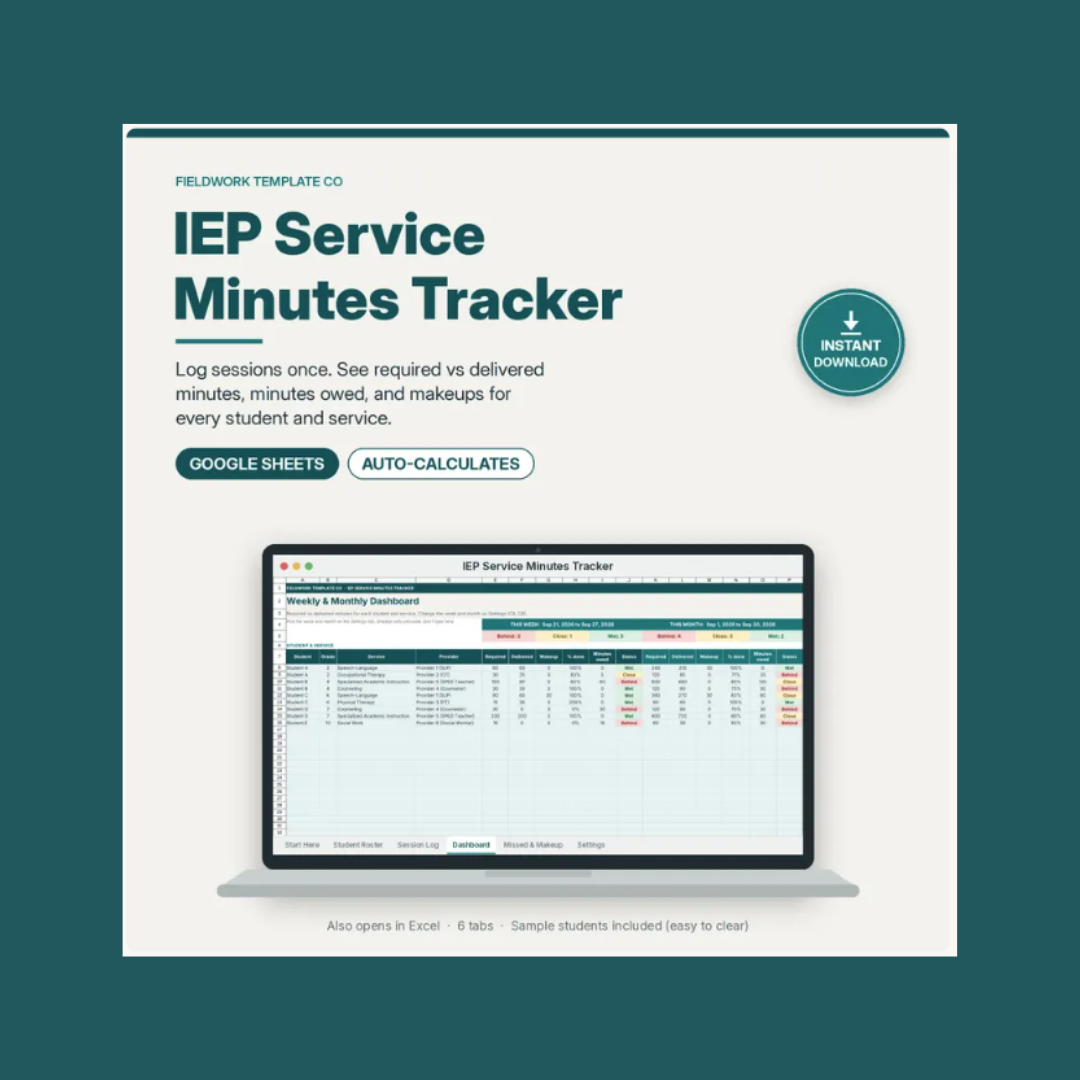
IEP Service Minutes Tracker ($5.99)
What it is: A Google Sheets file (it also opens in Excel) with six tabs: Start Here, Student Roster, Session Log, Weekly & Monthly Dashboard, Missed & Makeup, and Settings. It includes a one-page PDF with a "Make a copy" link and setup steps.
What I like:
You log each session once. Enter the date, student, service, minutes, provider, and status (Delivered, Missed, or Makeup) using dropdowns.
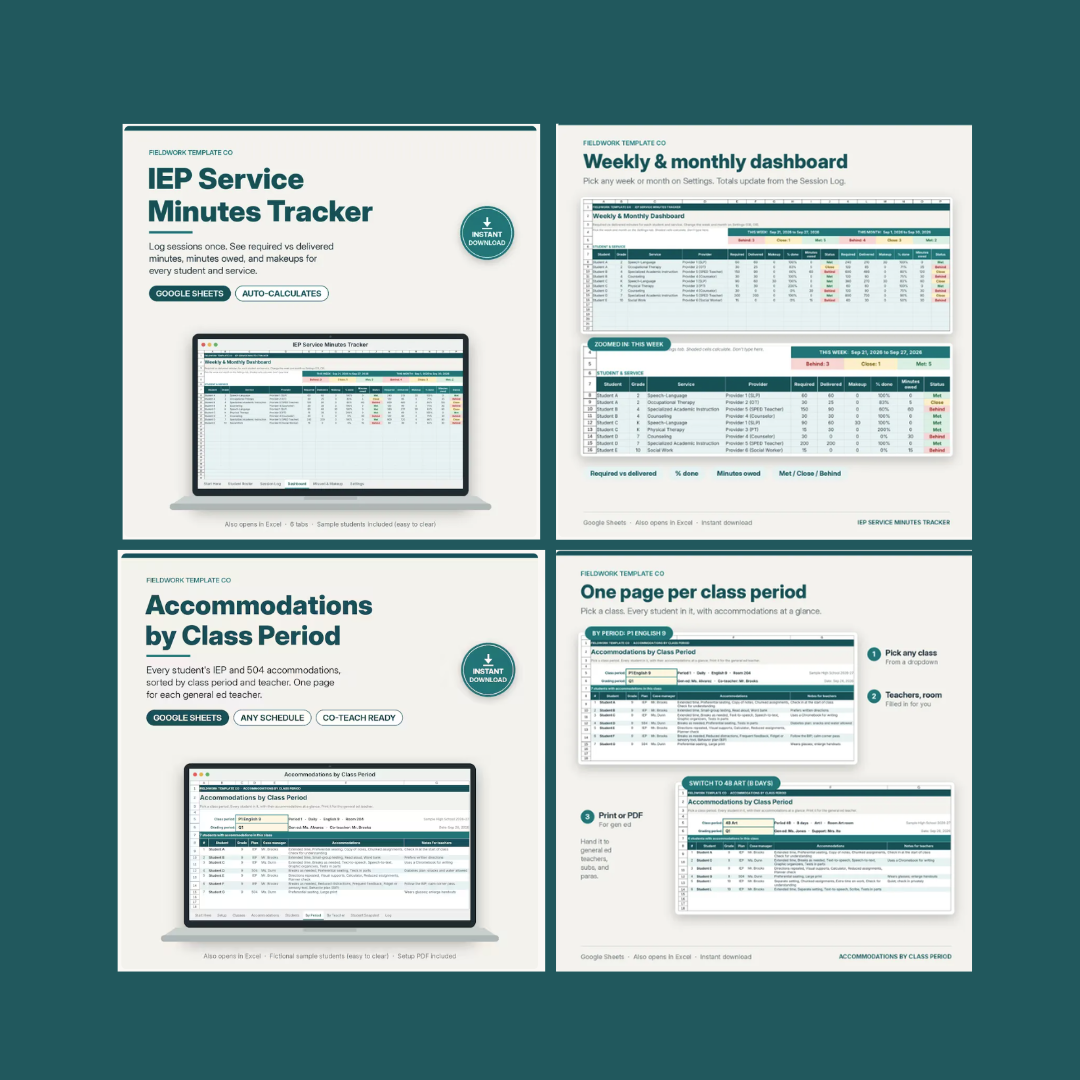
The dashboard does the math. For each student and service, it shows required vs. delivered minutes, makeup minutes, percent complete, and minutes owed, with a color status of met, close, or behind. You can see at a glance who needs attention.
Missed and makeup minutes are tracked in one place. The missed & makeup tab shows school-year-to-date missed sessions and minutes, makeups completed, and makeup minutes still owed. That is what usually lives in someone's head.
It is flexible. Services can be entered per week or per month, and you can adjust the weeks-per-month conversion (the default is 4) and the "Close" threshold. It's designed for case managers and related service providers, such as SLPs, OTs, PTs, and counselors.
What to keep in mind & best practices:
Initial Setup: Sample data must be completely cleared before you begin logging actual services. The Start Here tab explicitly details which cells need to be cleared.
Device Optimization: While accessible on mobile devices, the layout works significantly better on desktop browsers due to data-dense spreadsheet columns.
Scope & Compliance: This tool functions as an internal planning aid and personal workload manager. It does not replace official compliance records, district-mandated logging tools, IEP documents, or Medicaid billing systems.
Consistent Logging Routines: To keep data accurate without feeling overwhelmed, schedule 5–10 minutes at the end of each day to batch-enter delivered and missed sessions.
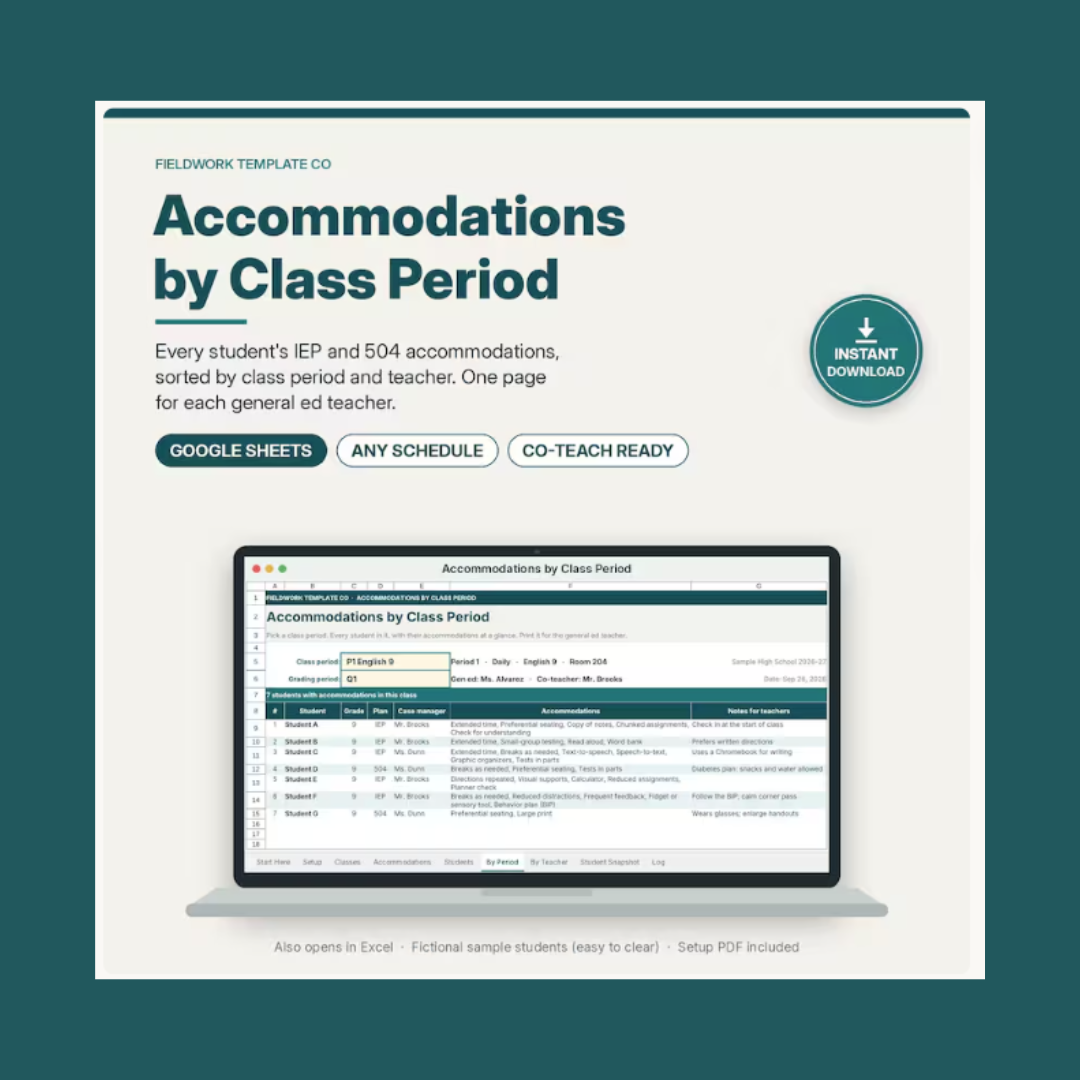
IEP Accommodations Tracker ($7.99)
What it is: A Google Sheets file with nine tabs, built for case managers, co-teachers, and inclusion teachers, especially in middle and high school where students move between six, seven, or eight classes. It covers both IEP and 504 accommodations.
What I like:
Enter each student once. Every view updates automatically, so you don't have to retype accommodation lists for every teacher.
Pick a class period and see everyone in it. The By Period tab lists every student in that class with their accommodations and notes. The By Teacher tab does the same for a teacher, co-teacher, or para. Print either one or save it as a PDF to hand to the general ed teacher.
It comes with 26 common accommodations. Each has a plain-language "what it looks like in class" note, which helps general ed teachers who aren't sure what "preferential seating" or "reduced assignments" means in practice. You can rename, edit, or add your own.
It handles real schedules. You can type your own period labels and your own grading period names.
There's an optional log. Record whether you provided an accommodation, offered it but it was declined, or didn't provide it, with notes. Entries sort into grading periods automatically.
The Student Snapshot is a one-page view. It shows a student's schedule, teachers, accommodations, and recent log notes, handy before an IEP meeting.
What to keep in mind & best practices:
Initial Setup: As with the minutes tracker, clear all sample data from the designated sheets before entering real student information. Desktop browsers provide the best user experience for setup and managing multi-column layouts.
Student Privacy & Data Protection: Because the template is not password-protected out of the box, protect student information by using initials instead of full legal names whenever possible.
Secure Sharing Practices: Never share master sheets widely. When distributing accommodation lists to general education teachers, export only the relevant class-period view as a PDF, or provide a view-only printout that includes only the accommodations required for their specific roster.
Who These Are Best For
Case managers juggling multiple IEPs and related services
Co-teachers and inclusion teachers in middle and high school
Teachers who feel behind on minutes or accommodation documentation and want a clean restart
Anyone who's tired of rebuilding a spreadsheet from scratch
My Verdict
If your current tracking system drains your time, creates unnecessary stress, or leaves compliance gaps, these two trackers offer a practical, structured way to reset without designing complex spreadsheets from scratch.
The IEP Service Minutes Tracker directly addresses accountability by answering, "Who am I behind on, and how many makeup minutes are owed?" while the IEP Accommodations Tracker ensures clarity across general education staff by answering, "Does every teacher know exactly what each student needs in their specific classroom?"
Both tools feature intuitive dashboards, clean visual organization, and automated summaries that simplify progress monitoring and parent updates. They are affordable, standalone templates that work seamlessly on their own or together as a comprehensive tracking system, making them an excellent resource for special education teams operating without a centralized, automated tracking platform.
Both are personal-use licenses for your own caseload, so you can't share the blank file school-wide.
How to Run Your October Data Reset in 5 Steps
Audit what you have. What's working? What's piling up?
Start with your biggest pain point. Minutes? Accommodations? You don't need to fix everything at once.
Set up your new system. Spend one planning period entering your caseload and clearing the sample data.
Backfill only what matters. Don't recreate August. Start fresh from today (or enter missed minutes you know you owe).
Build a habit. Log sessions at the same time each day, even if it's 5-10 minutes at the end of the day.
Final Thoughts
A data reset is not an admission that you did something wrong. It is a vital, proactive practice that helps you step back, evaluate what is actually working, and streamline your daily workflow. Refining your systems mid-year significantly reduces administrative overload and decision fatigue, two primary drivers of teacher burnout. More importantly, a realistic, manageable tracking system keeps student accommodations and service minutes accurate and effective over time, supporting long-term student success and confidence.
Have you reset your data system this year?
Nicolette Lesniak, Ed.S., is a special education coach and advocate who helps teachers and teams build collaborative, student-centered systems. She partners with general education teachers, special education teachers, related service providers, and case managers to turn compliance-driven processes into lasting practices that keep students at the center. She can be reached at hello@nicolettelesniak.com